
What Is a Good Typing Speed? WPM Benchmarks by Job & How to Actually Improve
Type "good typing speed" into any search engine and you'll get a number somewhere around 40–60 WPM. What that answer usually skips is the context that makes the number meaningful: 40 WPM is fine if you answer a few emails a day, and it's a liability if your job involves transcribing interviews or handling live customer chat across three windows simultaneously. The same WPM means very different things depending on what you're actually doing with your keyboard.
This article gives you the profession-specific benchmarks, explains why your accuracy percentage matters more than most people realize, and maps out what a realistic improvement path actually looks like — not the optimistic "reach 100 WPM in a week" claims you see on typing app landing pages.
First: Gross WPM vs Net WPM — Which Number Actually Matters?
Before comparing any numbers, it's worth being precise about what WPM actually measures — because there are two different figures, and most people focus on the wrong one.
Gross WPM counts every character you type, divides by five (the standardized "word" length), and divides by time. It measures raw speed regardless of errors.
Net WPM starts from gross WPM and applies a penalty for errors — typically subtracting one word per minute for every uncorrected mistake. This is the figure that actually represents how much useful, accurate output you're producing.
When a job posting says "60 WPM required," it almost always means net WPM at professional accuracy (95–98%). Chasing a high gross WPM score on a typing test while making frequent errors doesn't translate to professional-grade performance — it just means you type fast and backspace a lot.
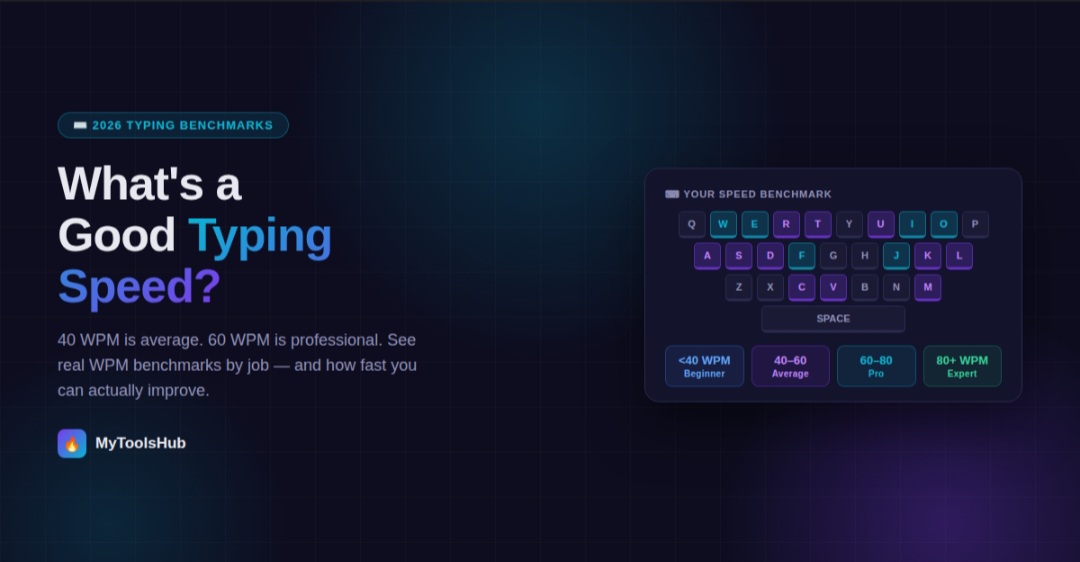
The WPM Tier System — Where Do You Actually Stand?
WPM Benchmarks by Profession — The Full Reference Table
The single most useful thing to know about typing speed is that your benchmark should come from your own professional context, not a generic "good vs bad" scale. Here's what different roles realistically expect:
| Role / Profession | Expected WPM | Accuracy Expectation | Notes |
|---|---|---|---|
| General office worker | 40 – 55 WPM | 92%+ | Most daily tasks don't demand high-speed typing; accuracy matters more than speed here |
| Administrative assistant | 55 – 75 WPM | 97%+ | Document drafting, correspondence, and scheduling — consistent speed over long sessions required |
| Data entry specialist | 60 – 80 WPM | 98%+ | Accuracy-critical; a single transposed digit can corrupt a database record |
| Customer support (live chat) | 50 – 65 WPM | 95%+ | Agents handling multiple simultaneous chats need 65+ WPM to maintain response quality |
| Software developer / programmer | 55 – 65 WPM | 99%+ | Code is written in bursts between thinking; fluency with symbols matters more than raw WPM |
| Journalist / content writer | 60 – 80 WPM | 95%+ | Faster typing reduces friction between thought and text, especially under deadline |
| Legal professional | 60 – 80 WPM | 99%+ | Long documents, precise language — accuracy is non-negotiable in legal drafting |
| Medical transcriptionist | 65 – 80 WPM | 98%+ | Complex medical terminology adds cognitive load on top of speed requirements |
| Professional transcriptionist | 75 – 95 WPM | 98%+ | Sustained speed over long audio sessions; accuracy as important as pace |
| Court stenographer | 225+ WPM | 99%+ | Uses a chorded stenotype machine, not a standard keyboard — entirely different skill category |
One counterintuitive finding from large-scale typing test data: programmers average lower WPM than many people expect (55–65 WPM, barely above the general adult average), despite the stereotype of developers being fast typists. The reason is that coding isn't transcription — it involves long pauses for reading documentation, planning logic, and debugging. The actual typing is a small fraction of the workday. What matters for developers isn't raw WPM but fluency with special characters, brackets, and symbols without breaking concentration.
Why the "40 WPM Average" Is Misleading in Practice
The globally cited 40 WPM average pools together everyone who has ever taken an online typing test — including teenagers on school Chromebooks, adults who type with two fingers, people testing out a platform once, and seasoned professionals warming up. Analysis of over 10 million audited typing tests found the median sits at 41.6 WPM, but technical professionals under 40 average closer to 52 WPM in practice.
This matters because it shifts the practical benchmark. If you work in a tech-adjacent role and type 45 WPM, you're below average for your peer group — even though 45 WPM is above the global median. Your comparison group isn't every adult on the planet who has taken a typing test; it's the people who work in similar roles and environments to yours.
The selection bias problem goes the other direction too. People who spend time on typing forums and subreddits tend to be enthusiasts who already type well, which is why those communities often make 80–100 WPM sound like the baseline. In reality, 35 WPM is the heartbeat of significant portions of the global economy — administrative roles, local government, medical billing — where the work gets done at moderate speed with high accuracy, and nobody is chasing leaderboard scores.
Touch Typing vs Hunt-and-Peck: The Speed Ceiling Problem
The single biggest determinant of your long-term WPM ceiling isn't how much you practice — it's which technique you use. This is where many people hit a frustrating plateau without understanding why.
Hunt-and-peck typing — searching for individual keys while looking at the keyboard — has a hard physical ceiling. The most experienced hunt-and-peck typists typically plateau around 40–55 WPM. The physical constraint is unavoidable: you can't visually locate keys and mentally compose text at the same time at higher speeds. The eyes are doing two jobs, and they can't do both fast enough.
Touch typing — knowing key positions from muscle memory, with fingers resting on the home row (ASDF / JKL;) and eyes on the screen — removes that ceiling. The fingers learn to move to keys without the eyes confirming their position, which means the brain can focus entirely on the content. Touch typists average 55–65 WPM compared to 27–37 WPM for hunt-and-peck typists, and touch typing is the primary reason some people can sustain 80–100+ WPM that hunt-and-peck simply cannot physically reach.
If you currently use hunt-and-peck and feel stuck below 50 WPM despite consistent computer use, switching technique is likely the highest-leverage change you can make. The transition involves a short-term speed drop while muscle memory builds — most people find their speed temporarily falls to 20–30 WPM when they first enforce proper technique — but the ceiling lifts significantly once the new technique becomes automatic.
How Long Does Improvement Actually Take?
Typing improvement timelines depend heavily on your starting point and how deliberate your practice is. Here's a realistic map based on what the research and platform data actually shows, rather than the optimistic claims on app landing pages:
| Starting Point | Target | Realistic Timeline (15 min/day) | Key Bottleneck |
|---|---|---|---|
| Under 30 WPM (hunt-and-peck) | 50 WPM touch typing | 2–4 months | Building touch typing muscle memory from scratch |
| 35–45 WPM | 60 WPM | 6–10 weeks | Accuracy before speed — forcing slower, cleaner typing first |
| 50–60 WPM | 75 WPM | 2–4 months | Breaking existing habits; typing in character groups not individual letters |
| 60–75 WPM | 90+ WPM | 4–6+ months | At this level, gains are slower and require high-volume deliberate practice |
With consistent daily practice of 15 minutes, most people reach comfortable touch typing within 2–4 weeks, and reaching 60+ WPM typically takes 2–3 months of dedicated practice. The key is consistency — 15 minutes daily beats 2 hours weekly.
The reason shorter, more frequent sessions outperform longer, infrequent ones is how motor memory works. Typing improvement is a physical skill, not just knowledge — it requires repetition spaced over time to consolidate in muscle memory. A two-hour session once a week doesn't give the nervous system enough repeated exposure across different days to build durable automaticity the way daily short sessions do.
What Actually Makes Practice Effective
Not all typing practice is equal. Casual typing — writing emails, messaging, doing your normal work — improves speed slowly because you're not pushing past your comfort zone. Deliberate practice that targets the specific bottleneck is what moves the needle faster.
- Practice at the edge of your comfortable speed. If you type comfortably at 50 WPM, spend part of your practice sessions pushing to 60 WPM even if accuracy drops — then slow back down to consolidate. Staying entirely in your comfort zone builds fluency but not speed.
- Identify your weak keys and drill them specifically. Most people have a handful of letter combinations they consistently mistype or slow down on. Isolating those — rather than practicing random text — accelerates the fix.
- Prioritize accuracy over speed in early practice. Practicing fast and sloppy reinforces sloppy motor patterns. The common advice is: type at a speed where you can maintain 95%+ accuracy, then gradually push that ceiling up.
- Use timed tests rather than word-count tests. Timed tests (type for 60 seconds) don't allow you to pause mid-test, making them a more honest measure of sustained speed. Word-count tests that let you stop and restart inflate scores.
- Track net WPM, not gross. Your accuracy percentage and net WPM together tell you whether you're actually improving productivity, or just typing faster while making more mistakes.
Typing Speed by Age Group — What the Data Shows
Typing speed isn't fixed across a lifetime. The data from large-scale testing platforms shows a clear pattern that surprises many people: peak typing speed typically occurs earlier than most expect, and the relationship between age and speed isn't simply "younger is faster."
| Age Group | Average WPM | Notable Pattern |
|---|---|---|
| Under 18 | 35 – 45 WPM | Growing up with smartphones and keyboards gives modern teens a head start over previous generations at the same age |
| 18 – 24 | 45 – 55 WPM | Peak raw speed driven by gaming and academic keyboard intensity; motor unit firing rates are at their highest |
| 25 – 35 | 48 – 58 WPM | Slightly below peak raw speed but often higher real-world productivity — fewer errors means less backspacing (the "correction tax") |
| 36 – 50 | 42 – 52 WPM | Professional daily typing keeps speed above the global average despite slight age-related decline in reaction time |
| 51 – 65 | 35 – 45 WPM | Speed may decline slightly but accuracy often remains high; experienced typists can compensate significantly with technique |
| 65+ | 28 – 40 WPM | Speed declines more noticeably, but regular keyboard use maintains substantially above-floor speeds compared to non-users |
The 18–24 age group shows the highest average raw speed in the data — a combination of gaming-driven motor skill development and the academic pressure of typing notes, essays, and assignments at speed. What's interesting, however, is that the 25–35 group often shows higher productive typing output despite slightly lower raw speed. The reason: they make fewer mistakes. Less time spent correcting errors means more characters actually make it to the page per minute, even if the fingers are nominally moving slightly slower.
This is the "correction tax" — the hidden productivity cost of errors that raw WPM doesn't capture. A 22-year-old typing 60 WPM gross at 88% accuracy may be producing less useful text per minute than a 30-year-old typing 55 WPM at 97% accuracy. Age and experience tend to improve the accuracy side of the equation in ways that partially offset the raw speed decline.
Does Your Keyboard Actually Matter?
Typing speed articles almost never discuss the hardware side, but the keyboard you're using has a measurable effect on how fast and accurately you can type — particularly at higher speeds where physical feedback becomes relevant.
- Membrane keyboards (the soft, quiet type common in offices and budget laptops) have less tactile feedback, which means less physical confirmation that a key has registered. At lower speeds, this doesn't matter. At 70+ WPM, the lack of feedback can contribute to more double-presses or missed keystrokes.
- Mechanical keyboards with tactile or clicky switches give physical and sometimes auditory confirmation when a key actuates, which many fast typists find improves accuracy and consistency. The benefit is real but not transformative — a mechanical keyboard won't take you from 45 WPM to 70 WPM.
- Laptop keyboards vary enormously. Some flagships (like ThinkPads) have well-regarded keyboards that professional typists use for serious work. Ultra-thin laptops with minimal key travel can genuinely make fast accurate typing harder, particularly for people used to deeper-travel keys.
- Smartphone keyboards are their own category. Autocorrect-assisted mobile typing averages significantly below desktop speeds — most adults type 30–40% slower on a smartphone than on a physical keyboard, regardless of how comfortable they feel with swipe or thumb typing.
The practical takeaway is that if you type professionally and are spending serious time improving your speed, using a keyboard you find comfortable and that gives you adequate feedback is worth caring about. But hardware is a supporting factor, not the primary one — technique and practice will move your speed far more than any keyboard upgrade.
A Note on Typing Speed and Cognitive Load
One aspect of typing speed that rarely gets mentioned is its relationship to cognitive load — the mental effort required for tasks. When typing is automatic and effortless, your working memory stays focused on what you're writing. When typing is slow or requires conscious effort, some of your mental bandwidth goes to the mechanical act of finding keys, which leaves less capacity for composition, analysis, or whatever the actual task requires.
This is why professional writers often report that faster typing feels like thinking more clearly — it's not that they're smarter at 80 WPM than at 40 WPM, it's that fewer mental resources are consumed by the physical interface, leaving more available for the actual work. The practical implication: if your work involves any kind of sustained writing, analysis, or communication, improving your typing speed has a downstream benefit that goes beyond just finishing documents faster.
Frequently Asked Questions
What is a good typing speed in WPM?
It depends entirely on your context. For everyday use, 40 WPM is adequate. For office work, aim for 50–60 WPM. Professional typists typically need 75–95 WPM. If you're above 60 WPM with 95%+ accuracy, you're faster than roughly 75% of all typists.
What is the average typing speed for adults?
The average typing speed worldwide is 40 WPM, with a cleaned-data median of 41.6 WPM across 10.4 million audited tests. Regular computer users and technical professionals tend to score meaningfully above this average for their age group.
Is WPM or accuracy more important?
Accuracy matters more in most professional settings. Net WPM — which penalizes errors — is the honest measure of productive output. Most professional requirements implicitly assume 97–99% accuracy. When a job posting says "60 WPM required," they mean 60 net WPM, not gross.
How long does it take to reach 60 WPM?
Starting from the 35–45 WPM range with proper technique, 60 WPM is typically reachable in 6–10 weeks of 15-minute daily deliberate practice. The timeline extends if you need to rebuild from hunt-and-peck to touch typing first.
What is the difference between gross WPM and net WPM?
Gross WPM counts every character typed regardless of errors. Net WPM subtracts a penalty for mistakes, giving a realistic picture of useful output. Most professional benchmarks and typing tests report net WPM — that's the number that matters for job applications and real-world productivity.
Once you know where your typing stands, you can also use our Word Counter to track document length in real time as you write — useful context alongside your typing speed when estimating how long a writing task will take.

Comments (0)
Leave a Comment